01 / TAKE IT WITH YOUFrom the desk
From the desk
to the couch.
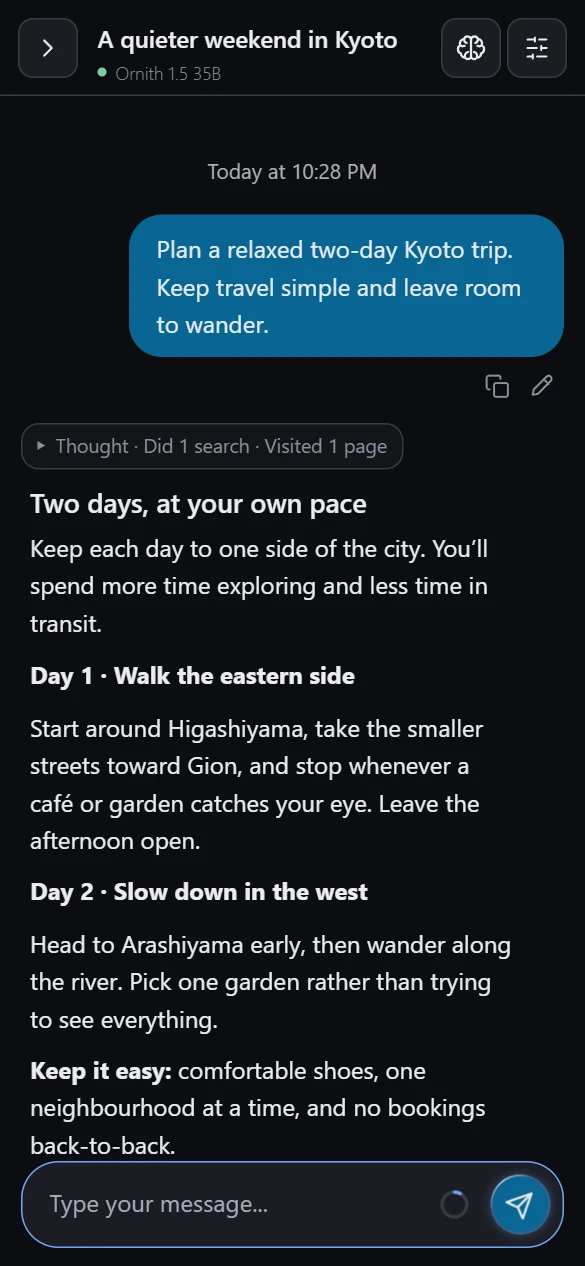
Start on your PC. Pick it up on your phone. Your chats live on your PC, with the same history across your devices.
Keep me in the loopYour models. Your conversations. One place to chat,
search the web and research deeply—from your PC or your phone.
A chat companion and search tools that bring your models
closer to how you actually want to use them.
Start on your PC. Pick it up on your phone. Your chats live on your PC, with the same history across your devices.
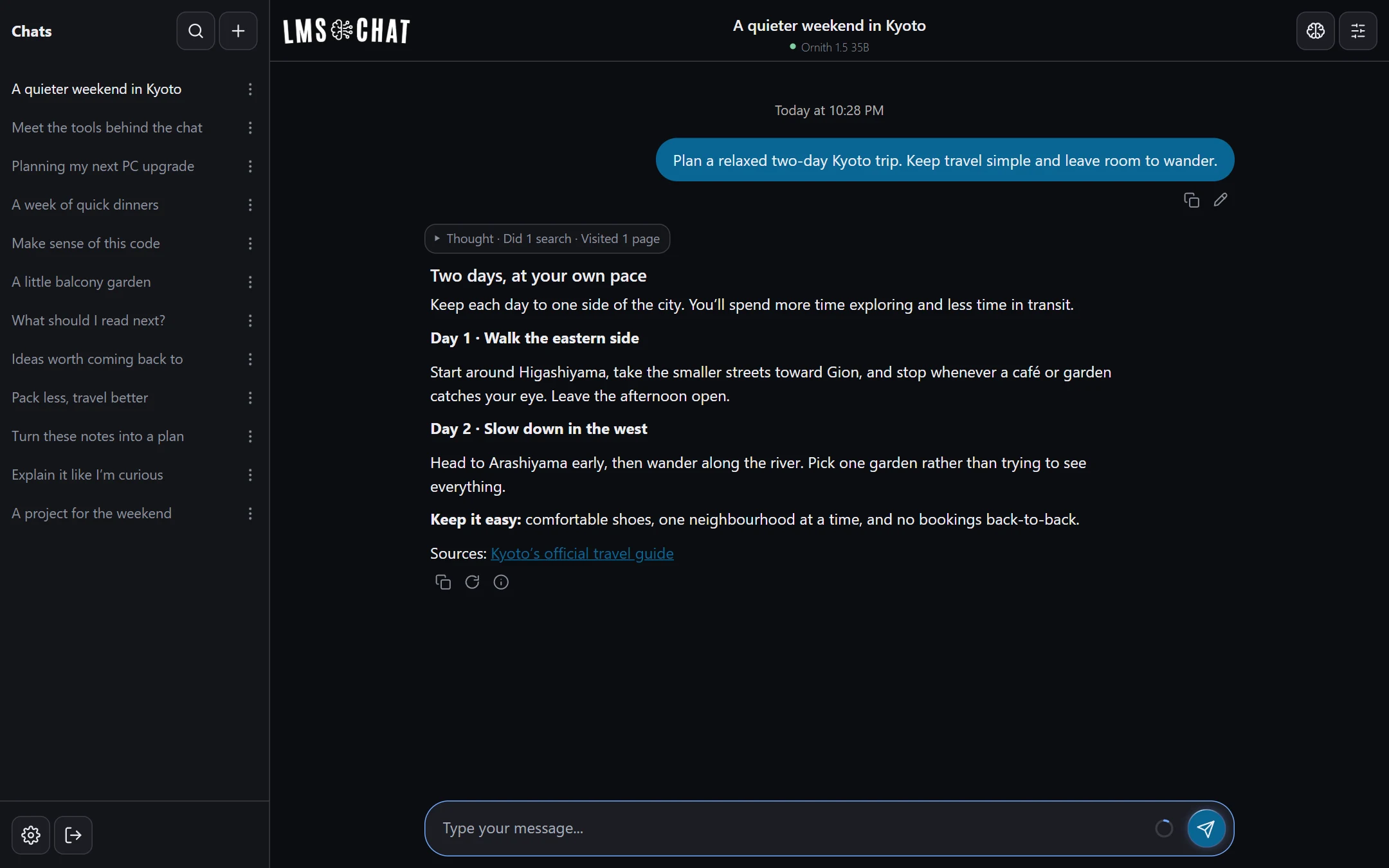
Keep me in the loopWeb search and page reading, right in the conversation. See the searches, open the sources and follow how an answer came together.
Get launch updates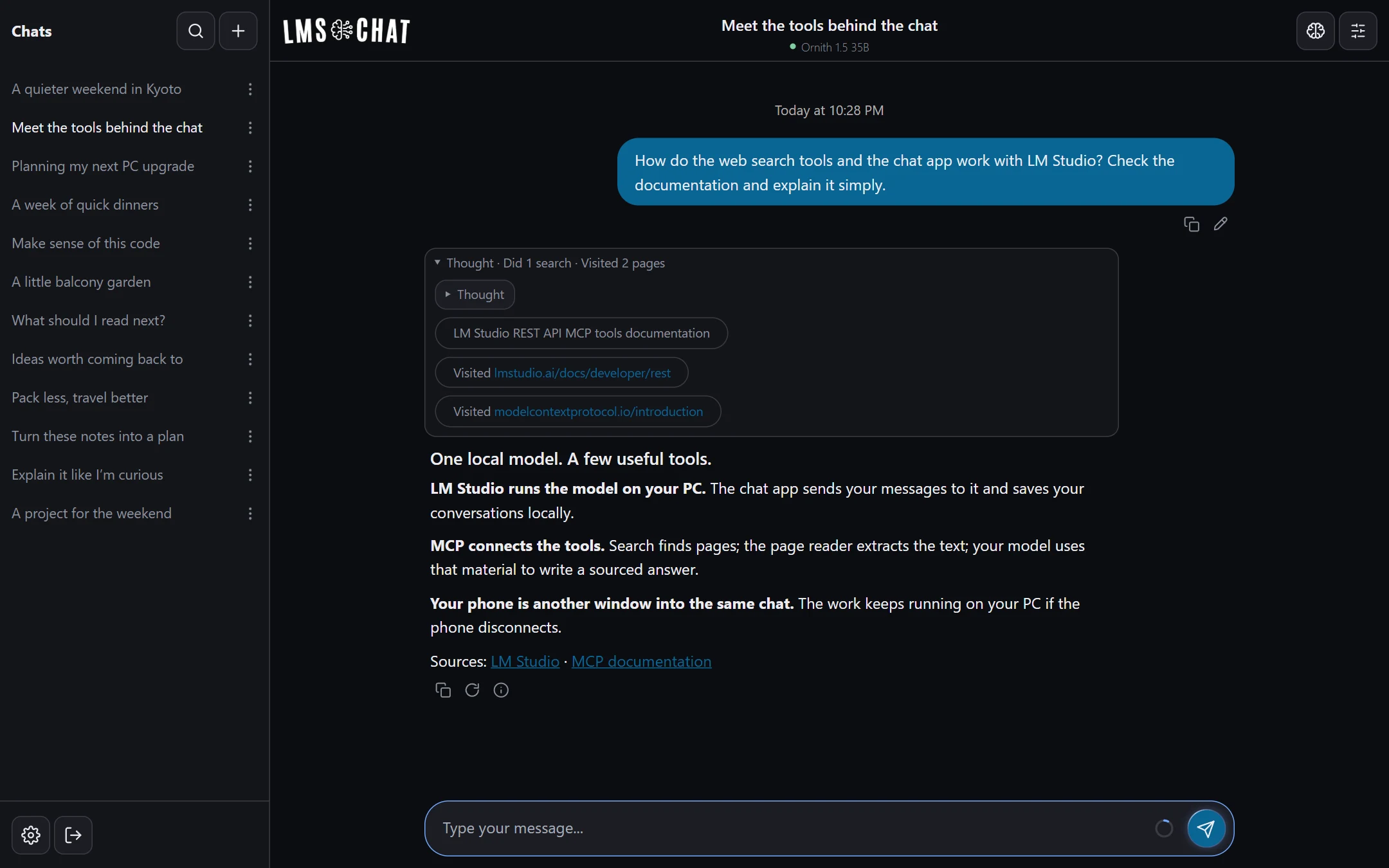
Switch on Deep Research for broader searching and more page reading. Replies keep running on your PC—even if your phone locks or loses its connection.
Be there at launchReal app interface. Illustrative conversations. Speed and results depend on your model, hardware and sources.
Per-chat model selection · Thinking & tool steps · Edit & resend · Reconnect & continue · Desktop + phone
Two things that work together: a web chat app running on the same PC as LM Studio, and web search/page-reading tools. The app opens in a desktop or phone browser, and can be installed to your phone’s home screen.
Yes. LM Studio runs your model on your PC, and the chat history is stored there too. Turning on search sends search queries and page-reading requests to the relevant external services. The model itself isn’t hosted by us.
The app and tools are planned to be free. DuckDuckGo search works without a key. Exa and Yandex via API.SH are optional, using your own keys and their providers’ allowances. You can choose which sources each search mode uses.
Yes. There’s a native plugin for desktop LM Studio and an MCP server for the web chat. They share the same search and page-reading engine. You’ll be able to use the tools without the chat companion.
A PC running LM Studio and a model that works well with tools. The current setup is developed on Windows; the first packaged release is being prepared with that in mind. Phone access uses your local network, or your own VPN when away from home.
Not yet. It’s in active development and daily use, but a straightforward installer and setup experience are still being prepared. Join the notification list and we’ll email when a download is ready. There’s no promised release date.
We’re getting it ready for you.
Leave your email. We’ll let you know when it’s time.
Launch updates only. No spam. Privacy